

API Testing for QA: What They Actually Ask in Interviews
'Test POST /users' is the most common task in a QA interview. I've covered everything you need to answer it: what an HTTP request is made of, methods and status codes, authorization, Postman, curl and your first automated tests with pytest. With a checklist of checks and interview tasks.
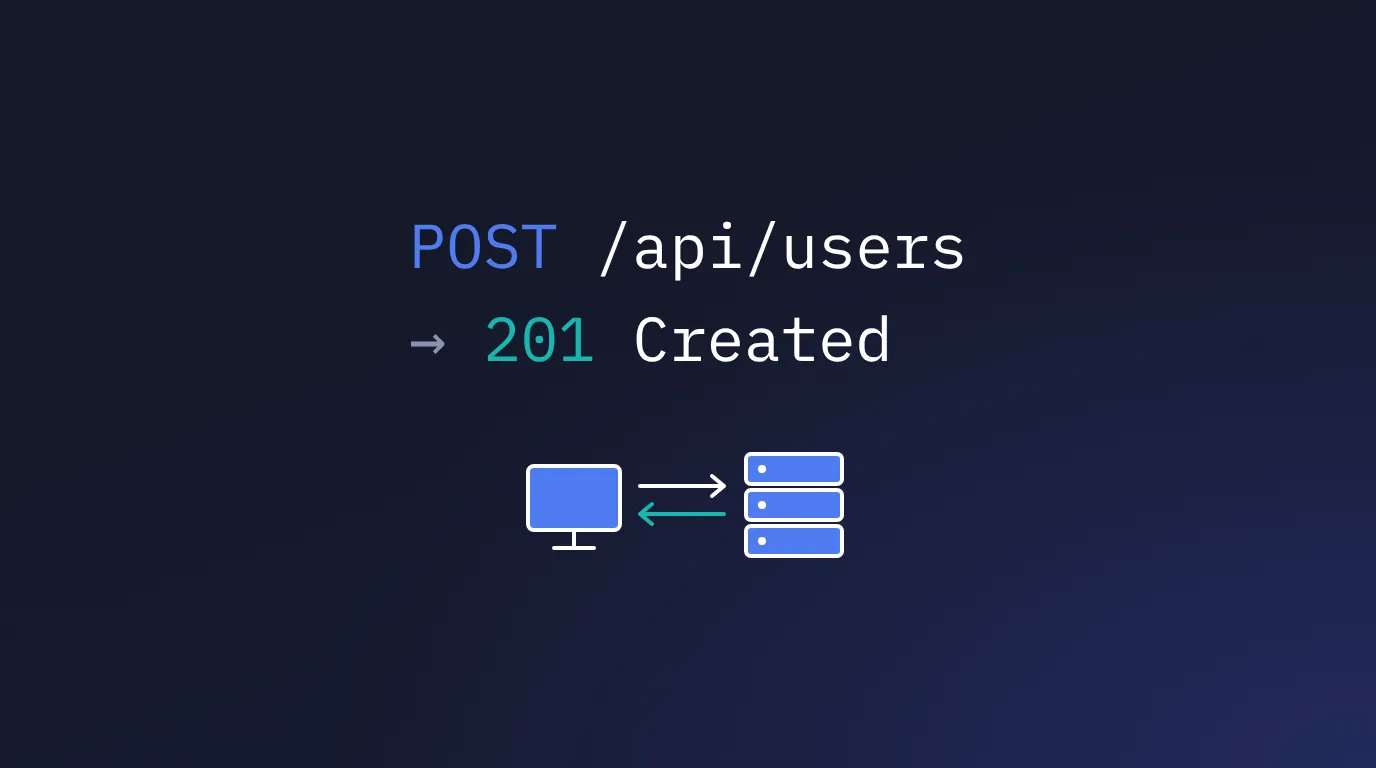
- The tester brings a POST request to the API: it should create a new record.
- The request is in; the server's lights blink while it processes it.
- The response slides out with status 201 Created.
- He opens it and checks the body too, not only the status, then nods.
Everything QA needs to know about APIs — from your first curl request to automated tests, with real tasks
Why Should QA Test APIs at All?
Because the button on the screen is just a wrapper. All the logic lives behind it.
Here’s a real situation. A sign-up form won’t let you enter a password shorter than 8 characters — the tester checked it, everything works, the ticket is closed. A month later, thousands of accounts with the password 1 turn up in the database. It turned out the check existed only on the frontend. A request sent straight to the API went through with any password.
You won’t find a bug like that through the UI. Through the API — it takes two minutes.
QA needs API testing for four things:
| # | Why | Example |
|---|---|---|
| 1 | Check the logic without the UI | Validation, access rights, calculations — all of it lives on the server |
| 2 | Start earlier | The backend is ready, the frontend isn’t there yet — you can already test |
| 3 | Test faster | An API test takes milliseconds, a UI test takes seconds or minutes |
| 4 | Pinpoint the bug | “The button doesn’t work” → did the frontend fail to send the request, or did the backend return an error? |
Developers especially appreciate that last one. A bug report saying “POST /orders returns 500 when the cart is empty” gets fixed many times faster than “can’t place an order”.
What Is an API (in Plain Words)
Picture an ATM. It has buttons and a screen — you press “Withdraw 1000” and get your money. You don’t know how the bank checks your balance, which database your account sits in, or what language it’s all written in. And you don’t need to: there’s a clear set of buttons and clear responses.
An API is the same kind of “buttons”, only for programs. A mobile app doesn’t reach into the database directly. It sends the server a request: “give me the list of orders for user 42”. The server responds with data or an error.
Three key concepts:
- Endpoint — the address a request is sent to. For example,
/users/42. - Request — what the client sent to the server.
- Response — what the server sent back.
In interviews people mostly talk about REST APIs — an API on top of plain HTTP, where addresses stand for resources (/users, /orders) and actions are defined by HTTP methods. More on the other kinds at the end of the article.
What an HTTP Request Is Made Of
Any request has four parts:
POST /api/users HTTP/1.1
Host: example.com
Content-Type: application/json
Authorization: Bearer eyJhbGciOiJIUzI1NiIs...

{
  "name": "Aman",
  "email": "aman@example.com"
}
| Part | What it is | In the example |
|---|---|---|
| Method | What we want to do | POST — create |
| URL | What we’re working with | /api/users |
| Headers | Metadata | Data format, token |
| Body | The data itself | JSON with a name and an email |
GET requests usually have no body — parameters are passed in the URL: /users?role=admin&page=2. These are called query parameters.
The response is structured in a similar way:
HTTP/1.1 201 Created
Content-Type: application/json
Location: /api/users/42

{
  "id": 42,
  "name": "Aman",
  "email": "aman@example.com"
}
Status code, headers, body. A tester checks all three — not just the code.
HTTP Methods
They ask about these in every interview. Memorize the table:
| Method | What it does | Example | Idempotent? |
|---|---|---|---|
GET |
Retrieve data | GET /users/42 |
Yes |
POST |
Create a new resource | POST /users |
No |
PUT |
Replace a resource entirely | PUT /users/42 |
Yes |
PATCH |
Change part of a resource | PATCH /users/42 |
Not guaranteed |
DELETE |
Delete | DELETE /users/42 |
Yes |
Idempotency is an interviewer’s favorite word. It means something simple: no matter how many times you repeat the request, the server’s state will be the same as after the first time.
PUT /users/42with the same data ten times — one user, same data. Idempotent.POST /usersten times — ten users. Not idempotent.DELETE /users/42twice — the user is deleted after the first request and after the second. Idempotent, even though the second response may be404.
Why does a tester care? The network is unreliable. The client sent a request, the response got lost, the client retried. If that was POST /payments — the user may have been charged twice. That’s a whole separate class of bugs, and you have to go looking for it on purpose.
PUT vs PATCH — by example. Here’s a user:
{ "id": 42, "name": "Aman", "email": "aman@example.com", "phone": "+99365000000" }
PATCH /users/42 with the body { "name": "Arslan" } — only the name changes.
PUT /users/42 with the same body — the resource is replaced entirely. By the standard, the email and phone fields should disappear (or the server returns an error saying required fields are missing). In practice, many APIs treat PUT like PATCH — and that’s worth checking and clarifying against the documentation.
Status Codes
The first digit tells you who’s “to blame”:
- 2xx — all good
- 3xx — go to a different address
- 4xx — client error (a bad request)
- 5xx — server error
The codes you need to know by heart:
| Code | Name | When |
|---|---|---|
200 |
OK | The request succeeded, the response contains data |
201 |
Created | The resource was created (the response to a POST) |
204 |
No Content | Done, no body in the response (often for DELETE) |
301 / 302 |
Redirect | The resource has moved: permanently / temporarily |
400 |
Bad Request | The request is malformed: broken JSON, wrong format |
401 |
Unauthorized | The server doesn’t know who you are: no token, or it’s invalid |
403 |
Forbidden | The server knows who you are, but you’re not allowed in here |
404 |
Not Found | There’s no such resource |
405 |
Method Not Allowed | The method isn’t supported for this address |
409 |
Conflict | A conflict with the current state: for example, the email is already taken |
415 |
Unsupported Media Type | Wrong Content-Type |
422 |
Unprocessable Entity | The JSON is valid, but the data failed validation |
429 |
Too Many Requests | Too many requests, the rate limit kicked in |
500 |
Internal Server Error | The server crashed on your request |
502 |
Bad Gateway | The proxy didn’t get a proper response from the server behind it |
503 |
Service Unavailable | The service is temporarily unavailable |
504 |
Gateway Timeout | The proxy gave up waiting for a response |
Two places where almost everyone gets confused:
401 vs 403. 401 — “identify yourself”. 403 — “I know who you are, but I’m not letting you in”. Not logged in and opening someone else’s profile — 401. Logged in as a regular user and opening the admin panel — 403.
400 vs 422. Teams agree on this differently, and that’s fine. A common convention: 400 — the request can’t be parsed (broken JSON), 422 — it can be parsed, but the data is wrong ("age": -5). In an interview it’s enough to say that what matters most is consistency within a single API.
And the main rule: a 500 on any user input is a bug. Whatever the client sends, the server should respond with a meaningful 4xx error, not crash.
Your First Request: curl
curl is on almost every machine, and in an interview you may be asked to write a request by hand. Let’s practice on JSONPlaceholder — a free API for learning.
Get a record:
curl https://jsonplaceholder.typicode.com/posts/1
{
  "userId": 1,
  "id": 1,
  "title": "sunt aut facere repellat provident occaecati excepturi optio reprehenderit",
  "body": "quia et suscipit..."
}
To see the status code and response headers — the -i flag:
curl -i https://jsonplaceholder.typicode.com/posts/1
Create a record — method, header and body:
curl -X POST https://jsonplaceholder.typicode.com/posts \
  -H "Content-Type: application/json" \
  -d '{"title": "My post", "body": "Hello", "userId": 1}'
A request with a token:
curl https://api.example.com/users/me \
  -H "Authorization: Bearer YOUR_TOKEN"
Flags worth remembering:
| Flag | What it does |
|---|---|
-X |
Method: -X POST, -X DELETE |
-H |
Add a header |
-d |
Request body |
-i |
Show response headers |
-v |
Show absolutely everything: request, response, TLS |
A handy trick: in the browser, open DevTools → Network, right-click any request → Copy as cURL. You get a ready-made command you can paste into a terminal or a bug report. The developer will reproduce the bug with a single line.
Postman
In day-to-day work nobody types requests by hand in a terminal — people use Postman (or its alternatives: Insomnia, Bruno). Four things you need to be able to do.
Collections
A folder of requests. Usually one collection per service: Users API, and inside it — Create user, Get user, Delete user. A collection can be run as a whole and handed to a colleague.
Environments and Variables
The same request has to work on dev, staging and production. So the address isn’t written directly in the request:
{{base_url}}/users/{{user_id}}
And the values are stored in environments: in dev the base_url variable is https://dev.example.com, in staging — https://staging.example.com. Switch the environment — and all the requests go to a different server.
Tests
On the Scripts → Post-response tab (Tests in older versions) you write checks in JavaScript:
pm.test("Status is 201", () => {
  pm.response.to.have.status(201);
});

const body = pm.response.json();

pm.test("User has an id", () => {
  pm.expect(body.id).to.be.a("number");
});

pm.test("Email is the one we sent", () => {
  pm.expect(body.email).to.eql("aman@example.com");
});

pm.test("Response is fast enough", () => {
  pm.expect(pm.response.responseTime).to.be.below(500);
});
Request Chaining
The most useful part. Create a user — save their id — use it in the next request:
// in the "Create user" request script
pm.environment.set("user_id", pm.response.json().id);
The next request, GET {{base_url}}/users/{{user_id}}, will pick up the value on its own. The same is done with a token: the Login request puts the token into a variable, and the other requests insert it into a header.
You can run a collection without the UI — in CI, for example — using Newman:
npx newman run users.postman_collection.json -e staging.postman_environment.json
Authorization
First, two words people mix up:
- Authentication — who are you? (login and password, a token)
- Authorization — what are you allowed to do? (roles and permissions)
An authentication failure is 401. An authorization failure is 403.
The methods you’ll run into at work:
| Method | What it looks like | Where you’ll see it |
|---|---|---|
| API Key | X-API-Key: abc123 |
Service-to-service, public APIs |
| Basic Auth | Authorization: Basic dXNlcjpwYXNz |
Legacy and internal systems |
| Bearer Token (JWT) | Authorization: Bearer eyJhbG... |
Most modern APIs |
| OAuth 2.0 | “Sign in with Google” | Access on behalf of a user |
An important thing to know about Basic Auth: dXNlcjpwYXNz isn’t encryption, it’s Base64 of user:pass. It can be decoded with a single command. Never use it without HTTPS.
A JWT consists of three parts separated by dots: the header, the data (payload) and the signature. Anyone can read the payload — paste a token into jwt.io and see for yourself. That’s why a token must never contain passwords or other secrets. The signature only guarantees that the data hasn’t been tampered with.
What to check in authorization — a mini checklist:
- A request without a token →
401 - A request with garbage instead of a token →
401 - A request with an expired token →
401 - A request with a regular user’s token to an admin endpoint →
403 - A request with user A’s token for user B’s data →
403or404
The last one is the most important. Log in as user 42 and request GET /orders/1001, where the order belongs to user 43. If the data comes back — that’s an IDOR vulnerability (Broken Access Control), number one in the OWASP Top 10. You find it simply by swapping a number in the address.
What to Check in an API: A Checklist
When an interviewer says “test this endpoint”, answer by going down this list.
1. The happy path
- The right status code (
201for creation, not200) - The response body has all the fields, and the types match the documentation
- The data was actually saved: after a
POST, do aGETand compare
2. Input validation
- A required field is missing
- The field is empty:
"",null - Wrong type: a string instead of a number
- Boundaries: length 0, 1, the maximum, the maximum + 1
- Wrong format: an email without
@, the date2026-13-45 - Extra fields that aren’t in the documentation
3. Authorization
- Without a token, with someone else’s token, with an expired one — see above
4. Headers
- The response
Content-Typematches the body - A request with the wrong
Content-Type→415or400
5. Business logic
- Duplicates: a second user with the same email →
409 - States: you can’t cancel an order that’s already been delivered
- Repeated request: a double click doesn’t create two orders
6. Non-functional
- Response time is within acceptable limits
- Pagination:
page=0,page=-1,limit=100000 - Error messages: does the response contain a stack trace, SQL queries, server paths
People often skip that last one, and they shouldn’t. A response like {"error": "SQLSTATE[23000]: Integrity constraint violation... at /var/www/app/UserRepo.php:87"} is a security bug: the server is telling anyone who asks how it’s built.
Negative Tests by Example
Let’s take POST /users, where name is a string of 2 to 50 characters, email is unique, and age is a number from 18 to 120.
| What we send | What we expect |
|---|---|
| All fields valid | 201, the user is created |
No email field |
400 / 422, the error names the field |
"email": "aman" |
400 / 422 |
| An email that already exists | 409 |
"name": "A" (1 character) |
400 / 422 |
A "name" of 51 characters |
400 / 422 |
"age": 17 |
400 / 422 |
"age": 18 |
201 |
"age": "eighteen" |
400 / 422 |
"age": 18.5 |
400 / 422 or rounding — clarify |
| Empty body | 400 |
Broken JSON: {"name": "Aman" |
400 |
"name": "<script>alert(1)</script>" |
Saved as text or rejected, but not 500 |
"name": "'; DROP TABLE users;--" |
Same thing, and the table is still there |
| Without a token | 401 |
Notice the boundaries: 17 and 18, 1 and 2 characters, 50 and 51. These are the same test design techniques — equivalence classes and boundary values — just applied to an API.
From Postman to Automated Tests
Postman is great for manual checks and exploration. But once there are hundreds of tests, they get moved into code. The most common combo for QA is Python, pytest and requests.
pip install pytest requests
# test_posts.py
import requests

BASE_URL = "https://jsonplaceholder.typicode.com"


def test_get_post_returns_post():
    response = requests.get(f"{BASE_URL}/posts/1", timeout=10)

    assert response.status_code == 200
    assert response.headers["Content-Type"].startswith("application/json")

    body = response.json()
    assert body["id"] == 1
    assert isinstance(body["title"], str)


def test_create_post_returns_201():
    payload = {"title": "My post", "body": "Hello", "userId": 1}

    response = requests.post(f"{BASE_URL}/posts", json=payload, timeout=10)

    assert response.status_code == 201
    body = response.json()
    assert body["title"] == payload["title"]
    assert "id" in body


def test_unknown_post_returns_404():
    response = requests.get(f"{BASE_URL}/posts/999999", timeout=10)

    assert response.status_code == 404
pytest test_posts.py -v
Three things reviewers look at:
- A
timeoutin every request. Without it, a hung server will stall the entire run. - A test doesn’t depend on other tests. Need a user — create one in the test itself or in a fixture, and delete it afterwards.
- More than just the status code is checked. A
200with an empty body is a failure too.
To avoid checking every field by hand, the response structure is validated against a schema:
pip install jsonschema
from jsonschema import validate

POST_SCHEMA = {
    "type": "object",
    "required": ["id", "userId", "title", "body"],
    "properties": {
        "id": {"type": "integer"},
        "userId": {"type": "integer"},
        "title": {"type": "string"},
        "body": {"type": "string"},
    },
}


def test_post_matches_schema():
    response = requests.get(f"{BASE_URL}/posts/1", timeout=10)

    validate(instance=response.json(), schema=POST_SCHEMA)
If a developer renames userId to user_id or returns id as a string — the test fails. This is contract testing in its simplest form: we check that the API hasn’t broken its “agreement” with its clients.
REST, SOAP, GraphQL, gRPC
The question “how is REST different from SOAP” has been living in interviews for about fifteen years. In short:
| REST | SOAP | GraphQL | gRPC | |
|---|---|---|---|---|
| Format | Usually JSON | XML only | JSON | Protobuf (binary) |
| Addresses | Many: /users, /orders |
One | One: /graphql |
Service methods |
| What it returns | Whatever the server decided | What’s described in the WSDL | What the client asked for | What’s described in the .proto |
| Where you’ll see it | Almost everywhere | Banks, government systems, legacy enterprise | Mobile and complex frontends | Between microservices |
Two things matter for QA:
- GraphQL almost always responds with
200, even on an error — the errors sit in theerrorsfield in the body. Checking only the status code is pointless here. - SOAP is strictly typed: there’s a WSDL file describing all the operations. The tool is SoapUI, though Postman can handle it too.
Junior and middle interviews usually don’t go deeper than that. It’s enough to know REST confidently and understand why the others exist.
Tasks from Real Interviews
Task 1: “Test POST /users”
There’s a user creation endpoint: it accepts
name,password. There’s no documentation. How will you test it?
Answer: first I’ll ask questions. Which fields are required? What are the length and format constraints? Does the email have to be unique? Is authorization required? What comes back in the response — is the password returned? That’s already half the answer: the interviewer is checking whether you start with the requirements.
Then — down the checklist: the happy path and a GET after it, validation of each field with boundaries, a duplicate email, a request without authorization, injections in the fields. Separately, I’ll check that the password isn’t returned in the response and isn’t stored in the database in plain text.
Task 2: “The API returned 200, but there’s an error in the body”
POST /ordersresponds with200 OK, body:{"success": false, "error": "Out of stock"}. Is this a bug?
Answer: from a REST point of view — yes, it’s bad practice. The status code should reflect the outcome: 409 or 422 would fit here. Clients, monitoring and automated tests look at the code, and to them a response like this looks like success.
But before filing a bug, I’ll look at how the other endpoints behave. If the whole API works this way — it’s an established convention, and you can’t change just one endpoint. In that case it’s an improvement suggestion, not a defect. And either way, my tests should check the success field, not just the code.
Task 3: “DELETE twice”
We send
DELETE /users/42twice in a row. What should come back?
Answer: the first time — 204 (or 200). The second — depends on the implementation: usually 404, because the resource is already gone; sometimes 204 again. Both are acceptable.
Idempotency isn’t violated here: it’s about the server’s state, not the response code. After the first request and after the second, the user doesn’t exist — the state is the same. What shouldn’t happen: a 500 on the second request.
Task 4: “The service we depend on isn’t ready yet”
You need to test checkout, but the payment service won’t be available for another two weeks. What do you do?
Answer: use a mock — a stub that responds like the real service. Options: Mock Server in Postman, WireMock, or a simple stub from the developers. I set up responses for the scenarios: payment succeeded, payment declined, the service responded with 500, the service doesn’t respond at all (timeout).
The last two scenarios are hard to reproduce with the real service, and easy with a mock. So a mock is useful even when the service is already there. Once the real one shows up — I’ll run the main scenarios again, this time against it.
Task 5: “Everything works in the UI, but users are complaining”
Support writes: the order list won’t load for some users. It all opens fine for you. How will you investigate?
Answer: I’ll open DevTools → Network and look at the request for the list. Then I’ll reproduce it for an affected user — through Postman with their data on a test environment. What I’ll check:
- The status code and the response body — maybe there’s a
500or an empty array - The number of orders — maybe the user has 5000 of them, and the request times out (no pagination)
- The data — maybe one of the orders has
nullwhere the frontend expects a string - The server logs around the time of the request
The point of the answer: I don’t guess from the UI — I go down to the API level and look at what actually came back from the server.
5 Traps Candidates Fall Into
1. Checking only the status code.
A 200 OK with an empty body, with someone else’s data, or with data in the wrong format is a failure, not a success. The status code is the first check, not the only one.
2. Testing only the happy path.
“Sent valid data — got a 201” is one test out of thirty. Bugs live in invalid data, boundaries and access rights.
3. Confusing 401 and 403.
They ask this almost every time. 401 — I don’t know who you are. 403 — I know, but I’m not letting you in.
4. Not checking that the data was saved.
The POST returned 201 and a pretty JSON — but did the server actually write anything to the database? Always do a GET after a POST, PUT or DELETE. The server’s response is its promise, not proof.
5. Keeping tokens and passwords right in the requests.
A token pasted into a Postman collection or into test code will end up in the repository. Use environment variables. An interviewer who sees a hardcoded password in your take-home assignment will draw conclusions.
Checklist: What to Know Before the Interview
- HTTP: what a request and a response are made of, query parameters, the
Content-TypeandAuthorizationheaders - Methods:
GET,POST,PUT,PATCH,DELETE; the difference betweenPUTandPATCH; idempotency - Status codes:
200,201,204,400,401,403,404,409,422,500,502,503 - Authorization: authentication vs authorization, Bearer token, what a JWT is made of
- Tools: Postman (collections, environments, tests, chaining),
curl, DevTools → Network - Test design for APIs: positive and negative checks, boundaries, access rights
- Automation: a simple test with
pytest+requests, response schema validation - Theory: what REST is, how it differs from SOAP and GraphQL
That’s enough for 90% of QA interviews. You don’t need to know all 60+ status codes by heart or be able to set up an OAuth server — it’s enough to confidently test an ordinary REST API and explain what you’re checking and why.
Useful Resources
- JSONPlaceholder — a free API for learning. You can run every example from this article right now.
- Postman Learning Center — the official documentation with step-by-step lessons.
- MDN: HTTP — the best reference on methods, headers and status codes.
- Restful Booker — a practice API with authorization and deliberately planted bugs. Good practice before a take-home assignment.
Free QA course with hands-on exercises at annayev.com (English, Russian, Turkish).
Give it a thumbs up if this was useful. What API question have you been asked in an interview? Tell us in the comments.